
Transitioning to Canvas
Getting Started Recorded Workshops
| Topic | Tip Sheet | Video |
Getting Started with CanvasThis workshop introduces faculty and staff to Canvas as UR transitions from Blackboard, with a focus on how Canvas organizes course content, communication, assignments, and grading. Participants learn the basic structure of Canvas courses and where to find additional support as they prepare for the fall semester. |
link | link |
Content Tools & the Rich Content EditorExplore the three primary Canvas content tools—Pages, Announcements, and Syllabus—and learn how to use the Rich Content Editor effectively. The guide also highlights accessibility best practices, media integration, and strategies for creating clear, student-friendly course content. |
link | link |
AssignmentsLearn how to organize assessment categories, weight assignment groups, and create assignments that integrate seamlessly with the Canvas gradebook. This guide also covers submission types, key settings, and student view tools to help you build assessments with confidence. |
link | link |
DiscussionsCreate engaging discussion spaces that support interaction, reflection, and assessment. This guide walks through discussion settings, graded versus ungraded options, checkpoints, peer review, and strategies for managing student participation. |
link | link |
Grading and FeedbackCovers the three tools behind scoring in Canvas: Rubrics (reusable scoring tool), SpeedGrader (annotation tools, a Comment Library, and best practices for resubmissions), and the Gradebook (how to organize, show grades to students, etc). |
link | link |
ModulesModules are the core organization tool within Canvas. This tip sheet / workshop teaches how to build them (duplicate templates or start fresh), pull in content (files, assignments, etc) with the "tiny-but-mighty +" button, organize with text headers and indents, and advanced control access features like Lock Until, Requirements, and Prerequisites. |
link | link |
New QuizzesA new modern quizzing engine that is taking over 'classic quizzes' (colored rocket = New,white = Classic, which is retiring). This section covers creating quizzes, writing questions (most auto-graded; only Essay and File Upload need instructor grading), scoring options, and Item Banks for randomized question pools. |
link | link |
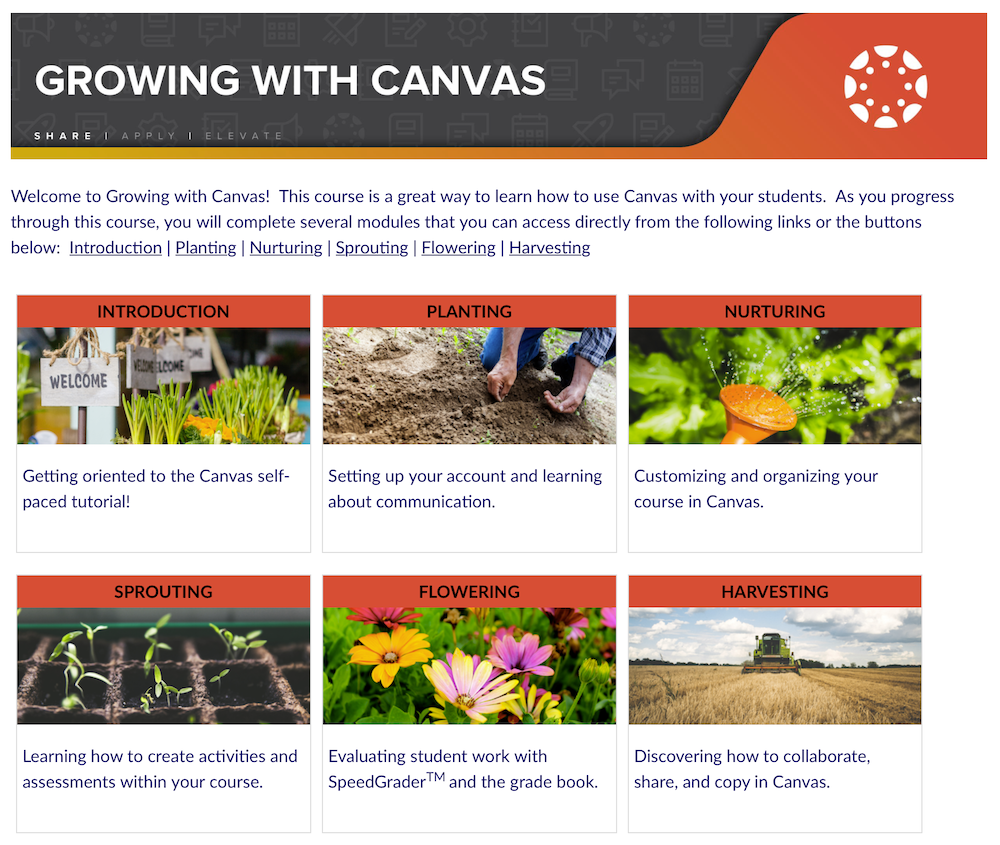
Growing with Canvas Course
Growing with Canvas is a Canvas course available to all faculty and staff. The course includes self-paced tutorials, guides, sample course materials, and links to additional support resources designed to help users learn Canvas fundamentals and explore effective course design practices.
Upcoming Workshops